Share what matters.Redact the rest.

Redact screenshots, PDFs and logs offline. Your files are processed on your device, without uploads.

For Mac, iPhone and iPad.

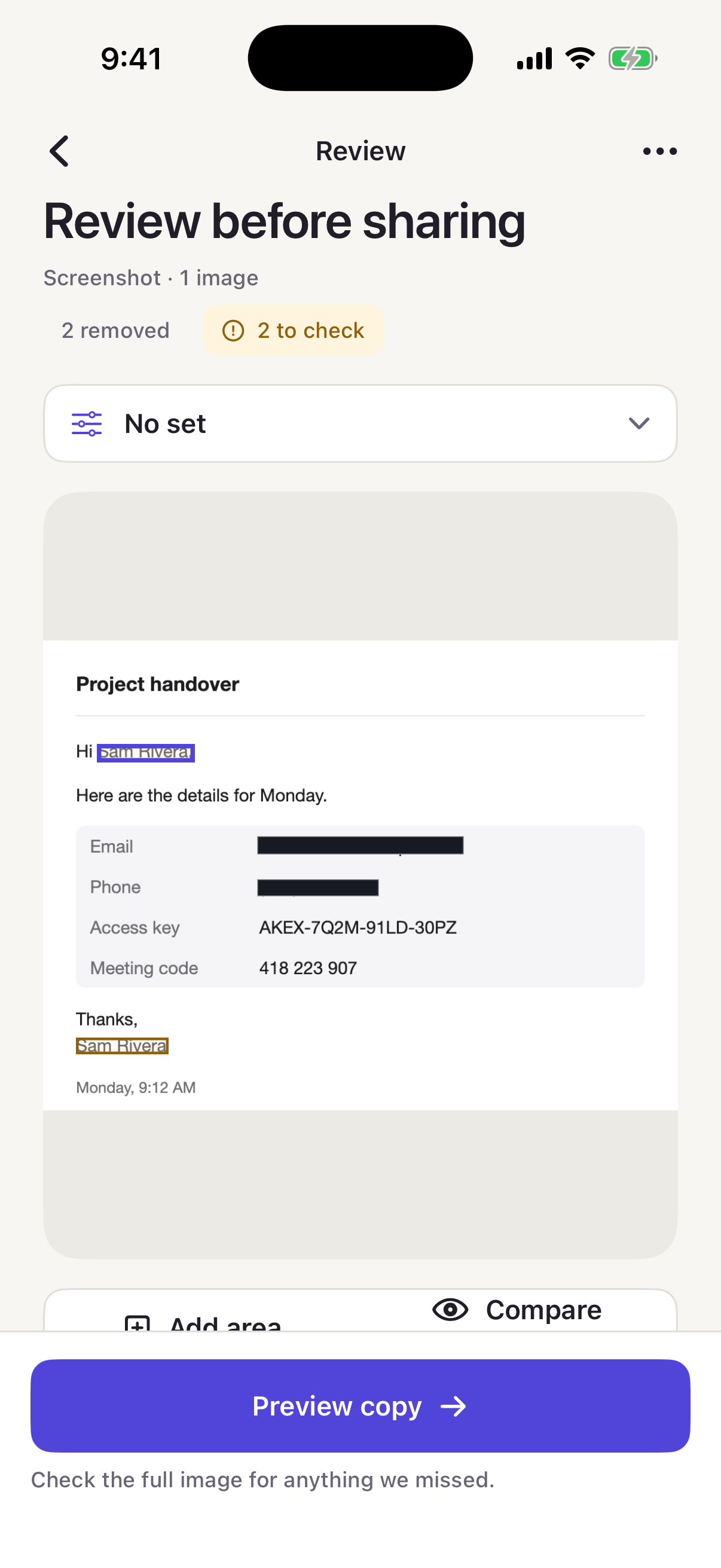
RedactRoom on iPhone showing a screenshot review: two details removed, two to check, with the review controls below.
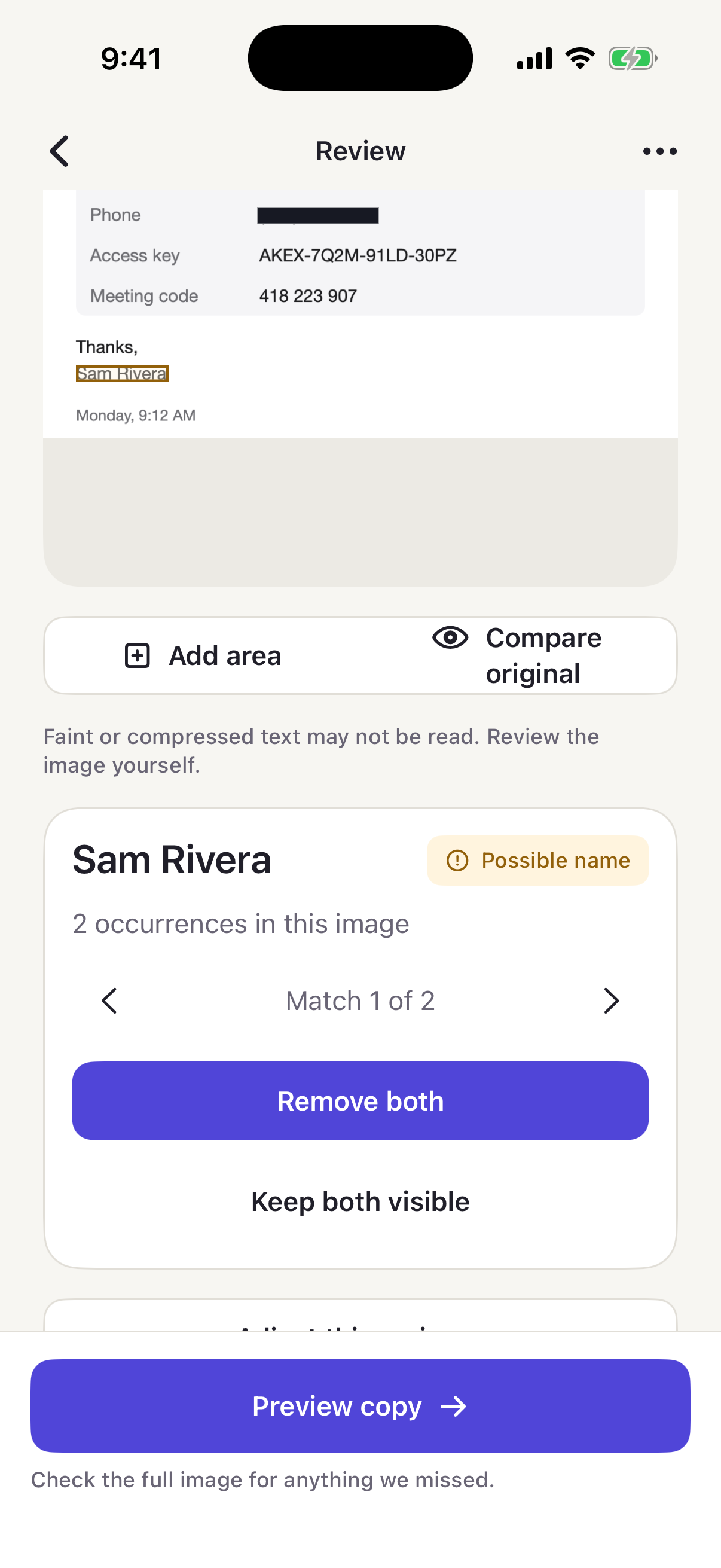
RedactRoom on iPhone showing a suggested name with two occurrences and the choice to remove both or keep both visible.

Five free exports. Then US$14.99 once.

No subscription · US App Store at launch

One app.Different kinds of detail.

Screenshots, multi-page PDFs and text, in one app.

Screenshots & photos

Review suggestions in context. Add an area for anything else.

PDFs

Review pages with thumbnails and search. Output uses covered page images.

Clean PDFs are not searchable and do not preserve links, forms or accessibility structure.

Text & logs

Work with JSON, CSV, patterns and replacement labels.

Design preview

A suggestion.Your decision.

Keep the context you need. Remove a suggestion, keep it visible, or add an area yourself.

Use Undo to revisit a choice, and compare with the original as you review.

See how it works
RedactRoom on iPhone showing a suggested name with two occurrences and the choice to remove both or keep both visible.

Your files.Your device.

Document processing happens on your Mac, iPhone or iPad. No RedactRoom account. No upload for processing.

Offline & privacy

On your device

  1. ReadText recognition
  2. ReviewYour decisions
  3. Make a copyCover · rebuild · check

Outside this processing flow

Apple handles purchases and restores. You choose where to save or share a copy.

Your clients.Your terms. Your rules.

Save a set for a client or task. Make one-off adjustments for the review in front of you.

Preference sets
Reuse categories and your terms.
Patterns & labels
Keep useful relationships in text.
Partial cover
Keep chosen characters visible.
Batch & Shortcuts
Bring the next task into the app.
Design preview

Know what was checked.Decide what comes next.

Review coverage

See what RedactRoom could check in the source. Small, faint or compressed text can be missed. Suggestions need your review.

Export checks

The generated file is read back. A content-free receipt describes the checks, coverage, format, version and time.

Export receipt

Checks
What ran on the copy
Coverage
What was checked
Format & version
Output and app version
Time
When it was generated

Detection can miss sensitive details. A receipt does not confirm that a file was saved or shared.

Start with fivefree exports.

Every feature. Full export quality. Five free exports on each device.

US$14.99

Once. Unlimited exports. No subscription.

See pricing and export rules

US App Store at launch.

Good to knowbefore you download.

Will it find every sensitive detail?

No. Suggestions can miss details. Review the source and the clean copy, and add a manual area wherever needed.

Does it work offline?

Yes, for redaction. Purchases and restores are handled by Apple through the App Store and require an internet connection.

Which formats and languages?

Images, PDFs and text. Language coverage is limited to English. Faces are not suggested. There is no video support.

Read all questions

Share what matters.Redact the rest.

Pay once. Use forever.
No subscriptions.